Item Availability & Restock Notifications
You have the option to search the product online either through the search bar or by browsing through each category.
To utilize the search bar, simply enter the product name or the 6 digit product code (Item Code / Product ID).
-
How to check stock availability - Online Store
• To check the product stock status in online store, select a colour and size to check the availability.
• If the product is out of stock, the color or size will be grayed out, preventing you from adding it to your cart.
-
How to check stock availability - Physical Store
• You may check product availability in our UNIQLO stores by using the 【FIND STOCK IN STORE】 function in UNIQLO APP/ website.
• Search for the product you want and click on 【FIND STOCK IN STORE】 option.
• Click the color and size which you desire, type store name or province in column Keyword and click 【SEARCH】.
【Important Note】
• Available: Widely available.
• Low stock: Limited quantity.
• Not Available: Out of stock and unavailable to purchase.
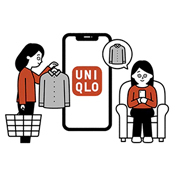
When the item you want is out of stock, the "Add to Cart" button will change to a NOTIFY ME button.
【How it Work】
1. Select your preferred colour and size.
2. Click the NOTIFY ME button.
3.You will see a confirmation screen that says "Back In Stock setting complete"
Remark: A notification will only be sent if the item is re-stocked in the next 120 days.
-
Q. How do I enroll in the NOTIFY ME service for products that cannot be found on the website?
A. It is unlikely that product that cannot be found in website will be restocked, as it may already be out of season.
Please not that we regularly update our inventory with seasonal products and we recommend using the search bar on the UNIQLO website to check if there is an updated version of your desired product with a new item code (Product ID).
Contact UNIQLO India
 CHAT SUPPORT
(Including Public Holidays & Weekend)