About Click & Collect
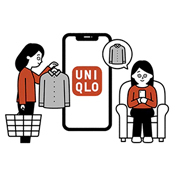
Click and Collect is a delivery option for online ordering which offers a convenient way for you to collect your online orders in store with no shipping cost. You can shop online anytime, and our online warehouse will ship your order to any of our UNIQLO India stores for you to collect.
Table of Contents
*How it works
*Charges & Delivery Lead Time
*How to Collect & Collection Period
*Q&A
- Choose 【Click & Collect】 in 【Delivery Option】
- Find your preferred store in store locator by postal code or city name
- Click 【SELECT】 once located the store and click 【PICK UP IN THIS STORE】
- Proceed to payment option and checkout
Enjoy FREE shipping with no minimum spend when you place your online order using Click & Collect.
【Important Note】
- Click & Collect orders are shipped from various locations and deliver to the store for your collection.
- Some products may require additional delivery time due to alterations or stock availability.
When your parcel arrives at your selected UNIQLO store and is ready for collection, you will receive an email with a QR code for pickup.
Please present the QR code/ UNIQLO APP membership ID/ Order Number(Last 7 digits) at the cashier counter to collect your parcel.
The parcel will have 14 days from the arrival date to collect.
【Important Note】
- Uncollected orders will be automatically cancelled and refunded. The refund will take 5-14 working days.
-
Q. Can I change my pickup location?
A. We cannot change your store pickup location after order confirmed.
However, you may cancel the online order within 30 mins after the order confirmed and place a new online order. -
Q. How to check my order delivery status?
A. UNIQLO APP
1. Launch the UNIQLO APP.
2. Click membership profile icon (bottom right).
3. Click the 【Purchase HISTORY]】.
4. Log in your UNIQLO online account.
Website
1. Click membership profile icon (bottom right).
2. Log in your UNIQLO online account .
3. Click 【Online Purchase history】 on the left menu. -
Q. What will happen if exceed the collection period (14 days) for Click & Collect?
A. Your order will be cancelled and refund without contact from UNIQLO. The refund may take up to 5 -14 working days upon receiving the refund confirmation email. To know more on refund timeline click here
-
Q. I haven't received my click & collect order ready to collect email yet?
A. In case you haven't received the email post 5 working days please contact our customer service team
-
Q. After I collect my Click & Collect order, can I return an item immediately at the store?
A. Please note that our physical store is unable to assist you with return & refund of your Click & Collect order. Also, your online purchase cannot be exchanged at any our physical UNIQLO store.
Kindly follow the return method for your online purchase (Website / App). Click here -
Q. How can I change my selected store for the click & collect order once placed?
A. Once the store is selected & the order is placed no changes can be done. Please refer to the link for complete details.
-
Q. Will be charged a return fee in case i return my Click & Collect order?
A. Yes, a small fee of ₹100 will be charged for return of the item/s. to know more on refunds click here
Please note we are revising our return shipping fee to ₹100 (previously ₹50) starting [15 September 2026] for the online store. -
Q. How can I cancel my Click & Collect order once placed?
A. Post 30 minutes the order cannot be cancelled once placed please wait for 14 business days the order will expire and complete paid amount will be refunded in case the order is not collected from your selected store.
Contact UNIQLO India
 CHAT SUPPORT
(Including Public Holidays & Weekend)