How to Search Product on UNIQLO Online Store
See below for the steps to search for products:
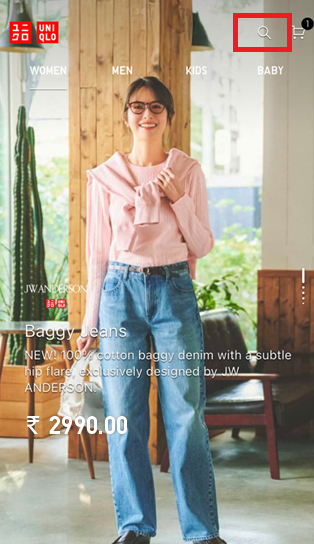
1. On the front page, click on magnifying glass icon as below:
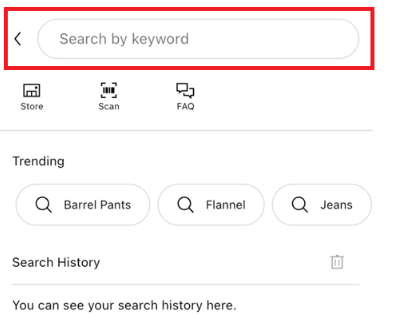
2. You can also search product by input the keyword or product code.
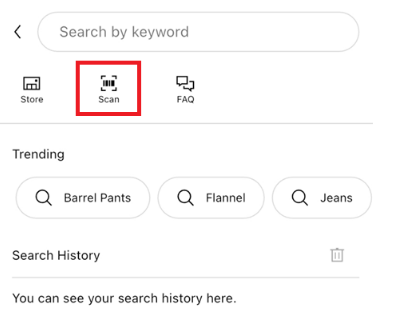
3. If you have product with the price tag, you can simply scan the barcode on the price tag by clicking the barcode icon as below:
1. On the front page, click on magnifying glass icon as below:
2. You can also search product by input the keyword or product code.
3. If you have product with the price tag, you can simply scan the barcode on the price tag by clicking the barcode icon as below:
Contact UNIQLO India
 CHAT SUPPORT
Live Chat Support is available Mon-Sun, 10 am-5 pm
(Including Public Holidays & Weekend)
(Including Public Holidays & Weekend)
By Email
Our Customer Care team will get back to you within 1 business day.