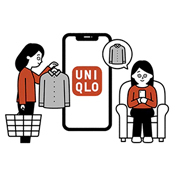
About E-Receipt
Table of Contents
*About E-receipt
*UNIQLO App Members
*Eligible Stores
*Finding your E-Receipt
*Frequently Asked Questions
To receive an E-receipt, please note below points:
- You MUST select this option at the time of payment
- It will NOT be automatically be sent to you if it was not chosen even if you have a UNIQLO Account
- E-receipts can be used as the proof of purchase for Returns and Exchanges
App Members with an account linked to UNIQLO.com can get E-receipts without inputting their emails.
*If you do not select E‑Receipt during checkout, you will not receive one.
-
▼Detailed Steps at checkout
Self-Checkout1. Scan or enter your Membership barcode from the UNIQLO App before starting your transaction.
2. Add items to your cart and complete payment.
3. On Receipt Type, select “Email” or “Print Receipt & Email” to receive an E‑Receipt.
4. A Thank You screen confirms the email was sent. If E‑Receipt was selected and your app was scanned, the E‑Receipt will also appear in [App] → [Purchase History] → [Store Purchases].
Staff CheckoutWhen checking out, please inform our staff member you will like to have a E-receipt.
Staff member will scan Membership Barcode or manually enter Membership number and select the option for E-receipt to be sent to you.
E‑Receipts are available in most stores, but some stores are not eligible.
To confirm, open Store Locator → Store page → Store Announcements and check if E‑Receipts are supported.
If you have opted for an E-receipt in one of our stores but you are unable to locate it, please follow the steps below:
*If you do not select E‑Receipt during checkout, you will not receive one.
E-mail delivery:
- Your E‑Receipt will be sent to your email inbox within 24 hours of purchase.
- Please also check your spam/junk folders.
- Make sure you can receive emails from order@mail.in.uniqlo.com.
In the UNIQLO App (for linked App members):
- E‑Receipts: see Purchase History → In‑Store Purchases (Store tab).
- For in‑store purchases, items appear by the next day only if you scanned your membership barcode at checkout.
A. A paper receipt will be reissued within 30 days from the date of purchase from the same store. Electronic receipts for exchanged or returned items will become invalid.
-
Q. I forgot to select “Email/E‑Receipt.” Can you send it after purchase?
A. Unfortunately, once an transaction and receipt chose is finalized we are unable to resend the receipt to your UNIQLO app or email. E-receipt must be chosen at time of transaction.
-
Q. I deleted the E‑Receipt email. Can you resend it?
A. Unfortunately our system only allows one E-receipt to be sent for security purposes. If the E-receipt email was deleted we will have no way of retrieving the email or resending the email again.
-
Q. Can I receive my E‑Receipt by SMS/text message?
A. No. E‑Receipts are currently available by e-mail only.
-
Q. I opted for an E‑Receipt but can’t find it.
-
Please check your spam/junk folder and confirm you have not blocked UNIQLO in your email settings.
-
App members: ensure you scanned your app at checkout and your app is linked to your UNIQLO.com/in account.
-
If you still can’t locate it, please contact us via Chat Support at the bottom of this page.
-
Q. How long can I view my electronic receipt?
A. Electronic receipts can be viewed for 6 months from the purchase date.
If you withdraw from your online store membership, your purchase history will no longer be available. Please save your receipts before withdrawal. -
Q. If I exchange or return an item, will the electronic receipt be reissued?
A. A paper receipt will be reissued within 30 days from the date of purchase from the same store. Electronic receipts for exchanged or returned items will become invalid.
-
Q. I lost my original receipt/invoice?
A. Electronic receipts can be viewed from the purchase date on your membership account for both online and offline.
In case the membership was not scanned at the store during the billing then we regret to inform you that we are unable to provide the bill re-print/copy.
Contact UNIQLO India
 CHAT SUPPORT
(Including Public Holidays & Weekend)